

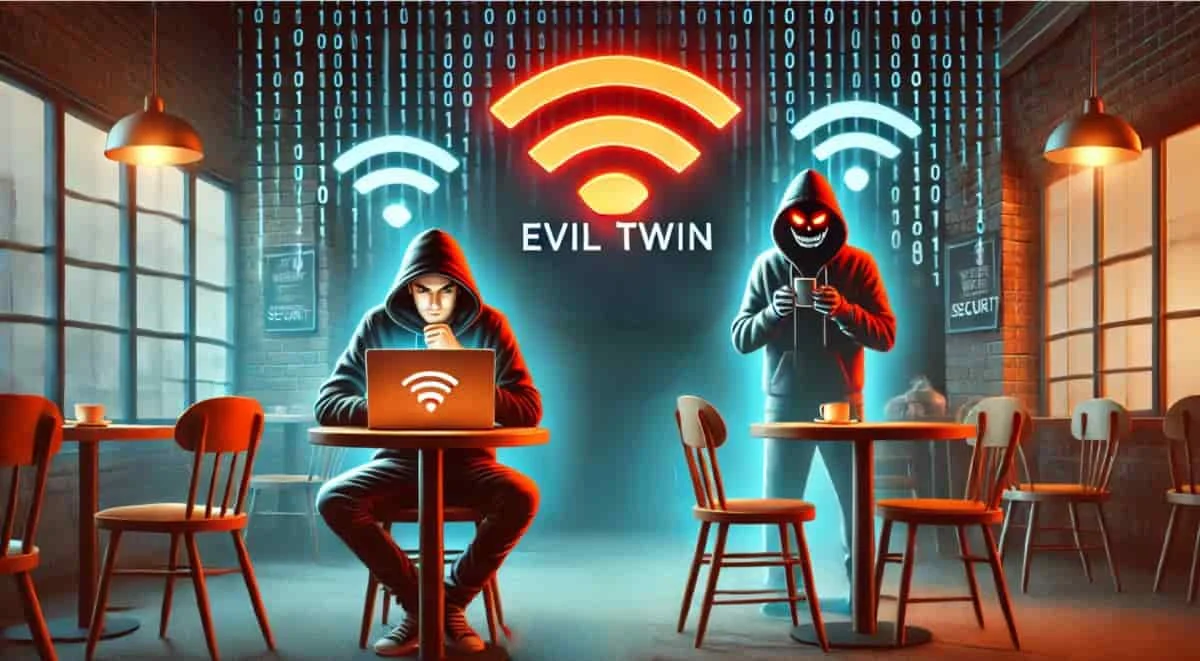
An Evil Twin attack is atype of Man-in-the-Middle (MitM) attack that exploits public Wi-Fi networks. Its name comes from the fact thata hacker creates a fake Wi-Fi access point that mimics a legitimate network to deceive users. Once users connect, sensitive data such as usernames, passwords, or banking information is intercepted. According to studies, more than 15% of attacks on public Wi-Fi networks involve this method, and nearly 70% of users connect without verifying the network’s authenticity. Particularly prevalent in cafes, hotels, airports, and coworking spaces, the Evil Twin attack exploits users’ careless behavior. It is therefore important to understand its mechanisms, its impacts, and the protective measures needed to counter this ever-growing threat. Within the MITRE ATT&CK framework, this attack is listed under sub-technique T1557.004.
How the Evil Twin Attack Works
The Evil Twin attack therefore involves creating a fake, malicious Wi-Fi access point designed to perfectly mimic a legitimate network. Here is a detailed overview of how it works.
Setting Up the Fake Access Point
The attacker begins by scanning nearby Wi-Fi networks to identify a popular access point in a busy location. Using tools such as Aircrack-ng, Wifiphisher, or devices like the Raspberry Pi, the attacker sets up a fraudulent network with the same name (SSID) as the legitimate network. To entice victims to connect, the attacker configures their antenna to transmit a signal that is stronger than that of the authentic network. Users’ devices, set to automatically connect to known networks, naturally gravitate toward this “evil twin.” The attacker can also use de-authentication attacks ( via tools like Aireplay-ng) to force users to disconnect from the legitimate network, thereby pushing them toward the fake access point.
Deceive the victim and establish a connection
Once the fake network is active, unsuspecting users connect without paying attention to the technical details. In some cases, the attacker may also add a fake authentication page, mimicking a captive portal (such as those used in hotels or airports). The user is prompted to enter their login credentials, such as their email address or password, which are then sent directly to the attacker. Even without a captive portal, the attacker intercepts traffic through their access point while discreetly redirecting the user to the Internet, giving them the illusion of a legitimate connection.
Network Traffic Interception and Analysis
As soon as the victim connects to the malicious network, the attacker carries out a man-in-the-middle (MitM) attack to intercept, analyze, and manipulate network traffic in real time.
The goal is to gather as much personal and professional information as possible without arousing the victim's suspicion.
Data Exfiltration and Exploitation
The intercepted data is then exfiltrated to servers controlled by the attacker or exploited directly on-site. Here are a few examples of how it is used:
- Identity theft: The stolen login credentials allow the hacker to access the victim’s personal or business accounts.
- Resale of Information: Stolen data can be resold on underground forums or the Dark Web.
- Subsequent Attacks: The information gathered serves as the basis for more complex attacks, such as targeted phishing or social engineering.
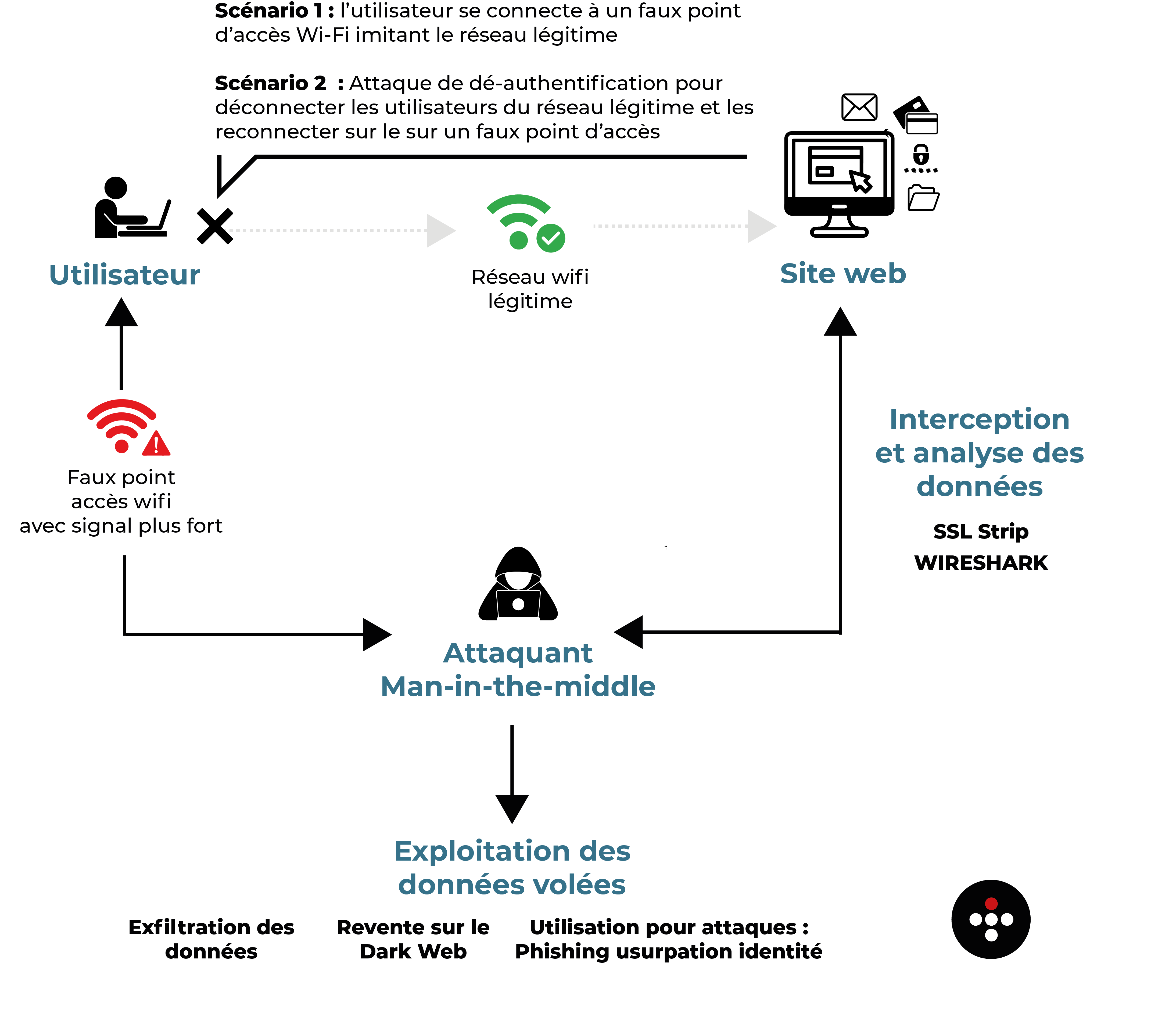
Diagram of How an Evil Twin Attack Works
7 Advanced Features of the Evil Twin Attack
An Evil Twin attack is not limited to the passive interception of network traffic. As the diagram above partially illustrates, attackers can incorporate advanced capabilities to enhance the effectiveness and stealth of their attack, leveraging modern techniques to maximize the damage. The most common capabilities are as follows:
Malicious Content Injection
Once the victim is logged in, the attacker can inject fraudulent web pages or malicious content into the user's browsing experience:
- Phishing pages: The attacker redirects users to pages that mimic those of well-known services (banks, email providers, social media platforms) in order to steal their login credentials.
- Forced Malware Downloads: Malicious scripts can force the download of spyware or ransomware onto the victim's device.
SSLStrip and HTTPS Downgrading
Even if websites use the HTTPS protocol, an attacker can force a downgrade to HTTP using tools such as SSLStrip. This allows the attacker to intercept data in plain text (usernames, passwords, submitted forms) and weaken secure connections, thereby bypassing SSL/TLS encryption.
Session and Cookie Theft
The Evil Twin attack also allows attackers to hijack user sessions by intercepting their unsecured session cookies. Once these cookies are obtained, the attacker can, for example, access online accounts without needing passwords or impersonate the victim on web services (email, business management platforms, etc.).
Real-time network traffic monitoring
Attackers use advanced tools such as Wireshark or Bettercap to analyze DNS requests in order to map the victim's online activities, or to target specific keywords (passwords, email addresses, transactions) to automatically extract critical data.
The Use of Specific Applications
Some Evil Twin access points include tools for targeting unsecured protocols (POP3, IMAP, FTP):
- Email clients using unencrypted connections may be compromised to steal login credentials or sensitive attachments.
- Exploitation of FTP Clients: Credentials for unsecured FTP servers can be extracted to gain access to corporate infrastructure.
Escape and Stealth
To remain undetected, attackers use evasion techniques:
- Network cloaking: The fake access point can dynamically change its name (SSID) to evade automated detection.
- Discretion Regarding Network Logs: Advanced tools conceal their activity to avoid detection by the security systems of large companies.
The Spread of Malware on the Local Network
Once the victim is connected to the fake network, the attacker may attempt to infect the devices by exploiting known vulnerabilities in operating systems or outdated software and by spreading network worms, such as EternalBlue, to compromise other devices on the local network.
Some measures to protect against Evil Twin attacks
- Verifying the Authenticity of Wi-Fi Networks: Before connecting to a public network, confirm the exact network name (SSID) with the venue’s staff to avoid malicious imitations.
- Disable Automatic Connection: Configure your devices so they do not automatically connect to available Wi-Fi networks, thereby reducing the risk of connecting to a fraudulent access point.
- Using Virtual Private Networks (VPNs): A VPN encrypts your internet traffic, making it more difficult for attackers to intercept your data.
- Avoid sensitive transactions on public networks: Do not conduct banking transactions or send confidential information while connected to a public Wi-Fi network.
- Regularly update your devices: Make sure your devices have the latest security updates to protect against vulnerabilities exploited by attackers.
ITrust also offers innovative cybersecurity solutions to detect and prevent threats, including Evil Twin attacks. Feel free to contact us to learn more!